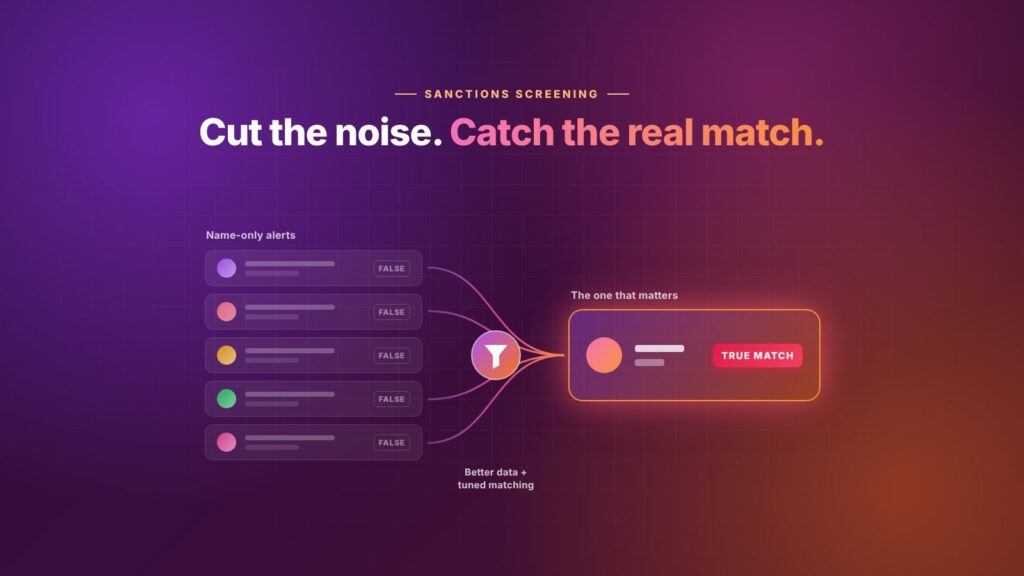
Every compliance team wants to reduce false positives, and for good reason. When most sanctions alerts turn out to be the wrong person, analysts spend their day clearing names instead of investigating risk. Reviews get rushed, backlogs grow, and the one real match is more likely to slip through with the rest.
The answer is not to screen less. It is to screen smarter: give the matching engine better data, tune it to your risk, and keep a clear record of why each alert was cleared. This guide covers why false positives happen and seven practical ways to cut them without opening the door to false negatives.
Why sanctions screening produces so many false positives
Sanctions screening compares your customers’ names against names on sanctions lists. Names are a weak identifier on their own, so a screening system has to allow for spelling differences, and that tolerance is what produces most false alerts. The usual causes are:
- Common names. A name shared by thousands of people will match a listed person sooner or later.
- Name only, nothing else. If you screen a name without a date of birth or nationality, the system has nothing to tell two people apart.
- Transliteration. Names written from Arabic, Cyrillic or Chinese scripts can be spelled many ways in English, so systems are set loose enough to catch them all.
- A threshold set once and never revisited. A low match threshold catches everything, including people who are clearly not a match.
- Screening against the wrong lists. Running every customer against every list, whether or not it applies to you, adds alerts with no compliance value.
- Poor list data. Lists with missing identifiers or duplicate entries generate alerts that no amount of tuning can resolve.
7 ways to reduce false positives without missing real matches
1. Collect better customer data at onboarding
The cheapest fix happens before screening starts. Capture full legal name, date of birth, nationality and country of residence for individuals, and registration number and country of incorporation for companies. Every extra data point gives the system something to rule a match in or out.
2. Score matches on secondary identifiers, not names alone
A name match with a different date of birth and a different nationality is very unlikely to be the listed person. Use a screening tool that weighs these secondary identifiers when it scores a match, so weak name-only hits rank low and strong matches rise to the top of the queue.
3. Tune match thresholds to your risk, and test before you change them
Your threshold decides how close a name must be before it alerts. Set it by risk: tighter for low-risk retail customers, looser for high-risk segments or jurisdictions. Before raising any threshold, run a test set of known true matches through the new setting to prove they still alert. Record the result and the reason for the change.
4. Handle name variants properly
Lowering the threshold to catch transliterated spellings floods the queue. A better approach is matching that understands name variants, such as different spellings, initials, reversed name order and honorifics. It catches the real variations while ignoring names that only look similar by chance.
5. Screen against the lists that apply to you, and keep results separate
Map which sanctions regimes you must screen against based on where you operate and whom you serve. Keep sanctions, PEP and adverse media results apart: a PEP match is not a sanctions hit, and mixing them makes every alert look urgent.
6. Remember decisions you have already made
Once an analyst has reviewed a customer and confirmed they are not the listed person, the same customer should not alert again for the same list entry every time you re-screen. Store the decision with its reason, and alert again only when the customer’s details or the list entry change.
7. Measure your alert quality
You cannot improve what you do not track. Keep running figures for alerts raised, alerts confirmed as true matches, and average time to clear an alert. Review them every quarter. If the share of true matches is falling, your data or thresholds need attention.
Causes and fixes at a glance
| Cause | What it looks like | Fix |
|---|---|---|
| Name-only screening | Alerts on anyone with a similar name | Capture and score date of birth, nationality and registration details |
| Threshold too loose | Clearly different names alerting | Tune by risk segment and test against known true matches |
| Transliteration handled by loosening | Floods of near-miss spellings | Use matching that understands name variants |
| Irrelevant lists | Alerts with no regulatory obligation behind them | Screen against the regimes that apply to you |
| Results mixed together | PEP matches treated as sanctions hits | Keep sanctions, PEP and adverse media separate |
| No memory of past reviews | The same customer alerting every re-screen | Store cleared decisions and re-alert only on change |
The line you should not cross
Every step above should cut noise without cutting coverage. A missed sanctions match is far more serious than a slow alert queue, so never raise thresholds or remove lists purely to hit a volume target. Regulators and auditors will ask why a setting changed. Keep the test results, the rationale and the sign-off for every change, and you will have a clear answer.
If your jurisdiction faces a mutual evaluation, alert quality figures are exactly the kind of evidence a supervisor may ask for. See our CFATF mutual evaluation readiness guide for the wider checklist.
How SafetyNet helps
SafetyNet is built to reduce false positives at the source. It screens across 1,800+ active global lists against a knowledge graph of 6.2M names, and scores every result with a confidence level from Exact to Low, using secondary identifiers as well as the name. The strongest matches sit at the top of the queue; the weakest are easy to clear.
Sanctions, PEP and adverse media results stay separate. Every finding links to its live source, and every decision to clear, escalate or dismiss is logged with who made it and when. Analysts make the final call on every match. See the full list of capabilities on our features page.
Spending too much time clearing alerts? Start a free trial and screen your own sample against SafetyNet.
Frequently asked questions
What is a false positive in sanctions screening?
It is an alert where a customer’s name matches or resembles a name on a sanctions list, but on review the customer turns out not to be the listed person.
Is it safe to raise my match threshold to cut alerts?
Only after testing. Run known true matches through the new setting to confirm they still alert, and document the test and the reason for the change. Raising a threshold without testing risks missing real matches.
What data helps most to reduce false positives?
Date of birth and nationality for individuals, and registration number and country of incorporation for companies. They let the screening system tell apart two people or businesses with similar names.
Should a cleared customer alert again on the next re-screen?
Not for the same list entry if nothing has changed. Store the cleared decision with its reason, and alert again only when the customer’s details or the list entry are updated.
How do I know if my false positive rate is improving?
Track alerts raised, alerts confirmed as true matches, and average time to clear an alert, and compare them each quarter.
This article is general information, not legal or compliance advice. Requirements vary by jurisdiction; confirm them with your supervisor.